 DataLLM Lab
Gemini Enterprise Agent Permissions: A Bounded Task and Review Guide
Gemini Enterprise agent permissions should start with one task and a list of actions the agent must not take. For an operations team, preparing a supplier reply is a useful first boundary: gather the relevant evidence, draft the message, and stop before anything leaves the company.
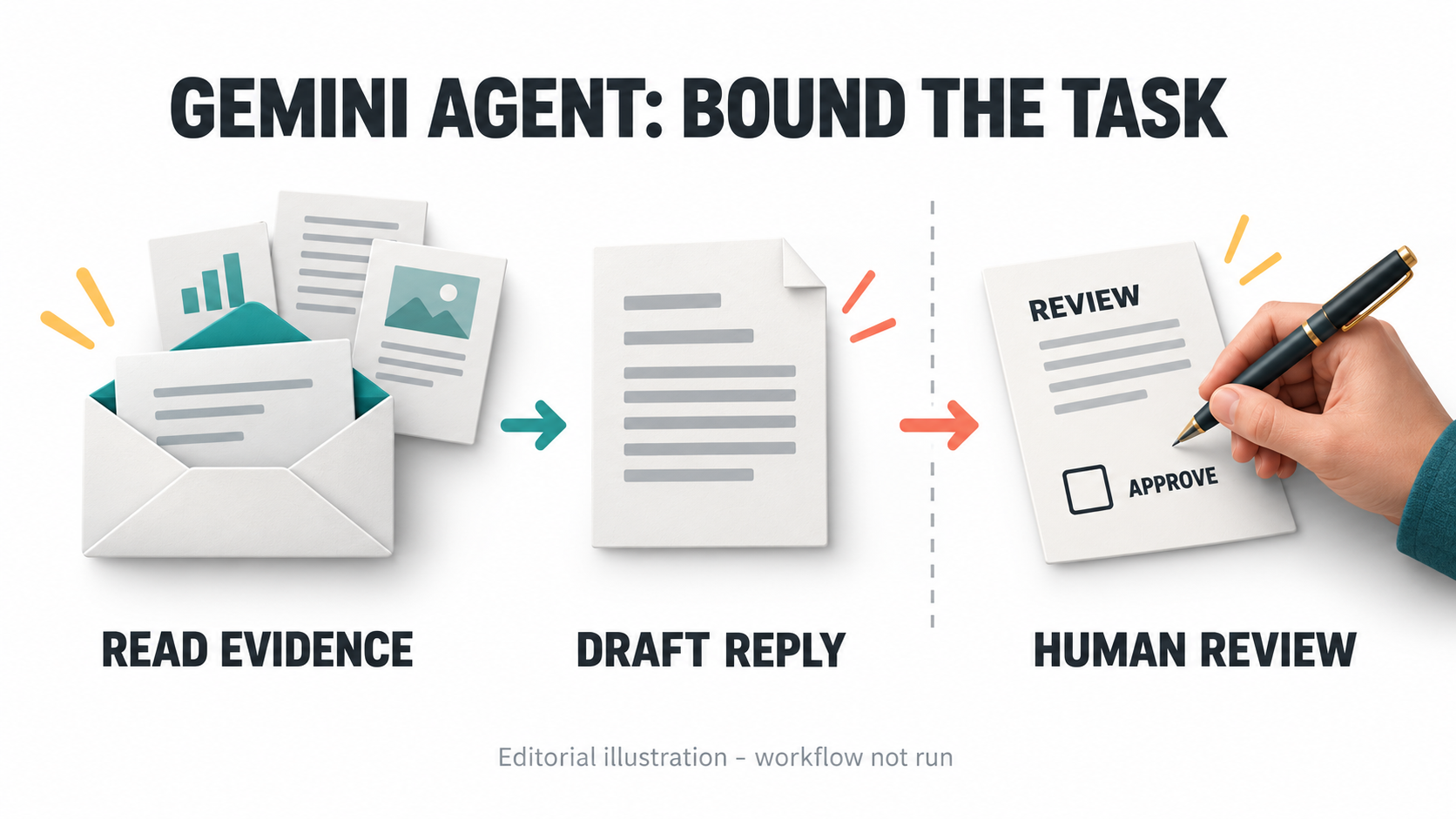
AI-generated editorial illustration, not a Gemini interface, configured permission policy or executed workflow.
Google Cloud's October 8 announcement calls the newly announced product the Gemini agent. It describes an agent for workplace tasks and separates the agent from its underlying model choice. This is not another model-launch guide.
Documentation was checked on October 9, 2026. The scenario and controls below are proposed, not a configured tenant, executed workflow or security test.
Separate employee access, agent integration and model choice
An employee license answers whether someone can enter the enterprise app. Google's license documentation requires a license for app sign-in; subscriptions supply licenses that are distributed and assigned. The edition comparison also distinguishes connector coverage and developer tooling between editions.
API integration is a separate engineering decision. An app sign-in is not evidence that a custom service has the necessary authorization, supported interface or billing arrangement. Model selection is another decision again: it affects the engine doing the work, not the source permissions you should grant.
Before a pilot, have an administrator confirm the actual edition, assigned access, enabled data connectors and applicable developer route. Record model restrictions separately from action restrictions. This review does not establish feature availability in your tenant or deployment geography, and it provides no guessed endpoint for the new agent.
Define one supplier-reply task with fixed evidence
For this hypothetical pilot, an equipment distributor needs to reply to a supplier's delivery-delay message. The inputs are one inbound Gmail thread, an approved delivery schedule and a response-policy document in Google Drive. The agent must not negotiate prices, promise compensation, modify an order or contact the supplier itself.
Give the task an owner, a request identifier and a fixed list of source objects. Use source identifiers, not only filenames: two documents can share a title. Ask for a short evidence table containing each proposed delivery statement, the supporting document section and its retrieved version or timestamp.
The allowed output is reply text in the app plus an internal explanation of unresolved facts. Do not save a Gmail draft in this first pilot. Saving a draft is a mailbox write, even though it is not an external send. If the schedule and inbound message disagree, return the discrepancy to the owner rather than choosing whichever date sounds plausible.
A reviewer can check the proposed delivery date against the schedule and the permitted response against policy. Keep the assignment at that scale until the team can demonstrate that its controls hold.
Gemini Enterprise agent permissions: build the matrix first
Current documentation lists read and write operations for both the Drive connector and Gmail connector. Their presence in the catalog is not a reason to enable them all.
| Operation | Pilot policy | Enforcement or review needed |
|---|---|---|
| Read approved Drive documents and metadata | Allow for named sources. | Restrict upstream sharing; check each retrieved object identifier. |
| Read the named Gmail thread | Allow for this task. | Check thread identifier and connected identity. |
| Produce reply text in the app | Allow. | Require claim-to-source evidence readback. |
| Create or update a mailbox draft | Deny in the first pilot. | Keep the draft write action disabled. |
| Send, reply or forward | Deny agent execution. | Human reviews exact recipient, body and attachments, then sends manually. |
| Share, update or trash Drive files | Deny. | Disable these connector actions. |
| Change orders, prices or payments | Deny. | Do not expose those systems or tools. |
This is a recommended policy, not a built-in per-task permissions screen. Google documents how administrators can enable and disable connector actions. Use those controls, then verify the effective action list; a prompt alone is insufficient enforcement.
Object scoping also needs care. The current Drive setup guide says new data stores no longer support administrator folder/shared-drive filters. Do not promise a folder checkbox as the containment boundary. Restrict the pilot identity's upstream access where practical; for hard per-object enforcement, use a separately reviewed tool layer that rejects objects outside the allowlist.
Inspect OAuth scopes without confusing them with task approval
The new Gmail authorization guide uses a Google-managed OAuth app; existing customer-managed data stores continue separately. Identify which connector generation you are reviewing before applying old setup instructions.
The current connector pages list read and write scopes. Gmail includes gmail.readonly, gmail.send and gmail.compose; Drive includes drive.readonly and drive. These are shorthand names for the full scope URLs in the linked documentation. A read-focused job does not prove the managed connector's consent grant is read-only. Gmail scope table and Drive scope table.
Keep three records distinct: the consented scopes, enabled connector actions and actions approved for this particular task. Disabling a send operation should not be reported as removing its OAuth scope. If broad consent is unacceptable, pause connector adoption for an administrator review instead of declaring least privilege achieved.
Likewise, a user authorizing a connector is not approval of a later supplier email. Consent establishes access; human approval must apply to the exact proposed external write.
Review the exact message and read back the outcome
Keep the first pilot's send action outside the agent. The owner reviews the reply in its final form and sends it manually. This avoids claiming a native approval checkpoint that was not verified here.
Prepare a proposed approval record containing the task identifier, named approver, recipient, subject, body digest, attachment list, source versions and expiry. Record prepared, approved, submitted and confirmed separately. These are suggested workflow states, not Gemini API fields.
An unrun review-record example, not a Gemini request:
task: supplier-reply-001
sources: [THREAD_ID, SCHEDULE_VERSION, POLICY_VERSION]
recipient: APPROVED_SUPPLIER_ADDRESS
body_digest: COMPUTE_AFTER_FINAL_REVIEW
attachments: []
approver: DESIGNATED_OWNER
expires_at: SET_AFTER_APPROVAL
approval: pending
send_state: not_submitted
For any later custom executor, require approval of the exact payload. A changed recipient, body or attachment invalidates approval; a stale source version triggers a fresh review. Permit only one submission for the approved action identifier. After a timeout, inspect the external system before retrying, so an uncertain response does not become a duplicate message.
Read back the sent message identifier and compare recipients, body and attachments with the approved record. That establishes the recorded send, not recipient delivery or acknowledgment. Keep credentials out of the review packet. Retrieved messages and documents remain evidence, not instructions that can authorize new tools.
Check the custom-agent authorization route before expanding
Google's A2A registration guide is marked Preview. For a directly invoked default Cloud Run .run.app URL, it distinguishes service authentication through X-Serverless-Authorization from configured end-user OAuth through Authorization.
The same guide says traffic for agents added through this registration method does not pass through Agent Gateway. Do not assume the announcement's general governance description covers every custom route. Developers must review the actual endpoint, token validation, downstream permissions and tool enforcement. A2A is optional for this proposal. DataLLM Lab's MCP authentication guide provides related tool-authorization background; it does not replace the A2A contract.
Before that expansion, run a proposed acceptance set: an unauthorized source must be denied, a missing citation must stop approval, a changed recipient must invalidate it, and a repeated action identifier must not cause a second send. Retain the actual tool logs and failures. None of these tests was executed for this article.
FAQ
Does an employee subscription authorize API integrations?
Do not infer that from app access. Confirm the edition, developer route, service identity, consent and downstream permissions independently.
Is creating a Gmail draft a read-only action?
No. It changes mailbox state. Keep it disabled when the agreed task only permits reading evidence and returning proposed text.
Does a human-approved agent have permission to send every future message?
No. Approve the specific recipient, payload and attachments for one action. Changes require another review; connector consent is not standing approval to communicate externally.
Conclusion
Design Gemini Enterprise agent permissions around the supplier-reply task, not the full connector catalog. Verify consent and enabled actions, require traceable evidence, and leave external sending with a human until a separately reviewed executor enforces approval and readback. The pilot is ready to evaluate only when those boundaries are observable, not merely written in a prompt.