 DataLLM Lab
LFM2.5-24B-A2B: Memory Planning Before Local Agent Deployment
Before choosing a machine for LFM2.5-24B-A2B, separate the parameters used during a token's computation from the weights your deployment must store and make accessible. A small active count does not turn the full checkpoint into a small download. Confusing those quantities can leave a local-agent plan short of memory before the first request.
This guide builds a resource intake rather than a hardware recommendation. The goal is to identify the exact artifact, calculate a transparent weight floor, and leave measured results blank until a real run exists. No model inference was performed for this article.
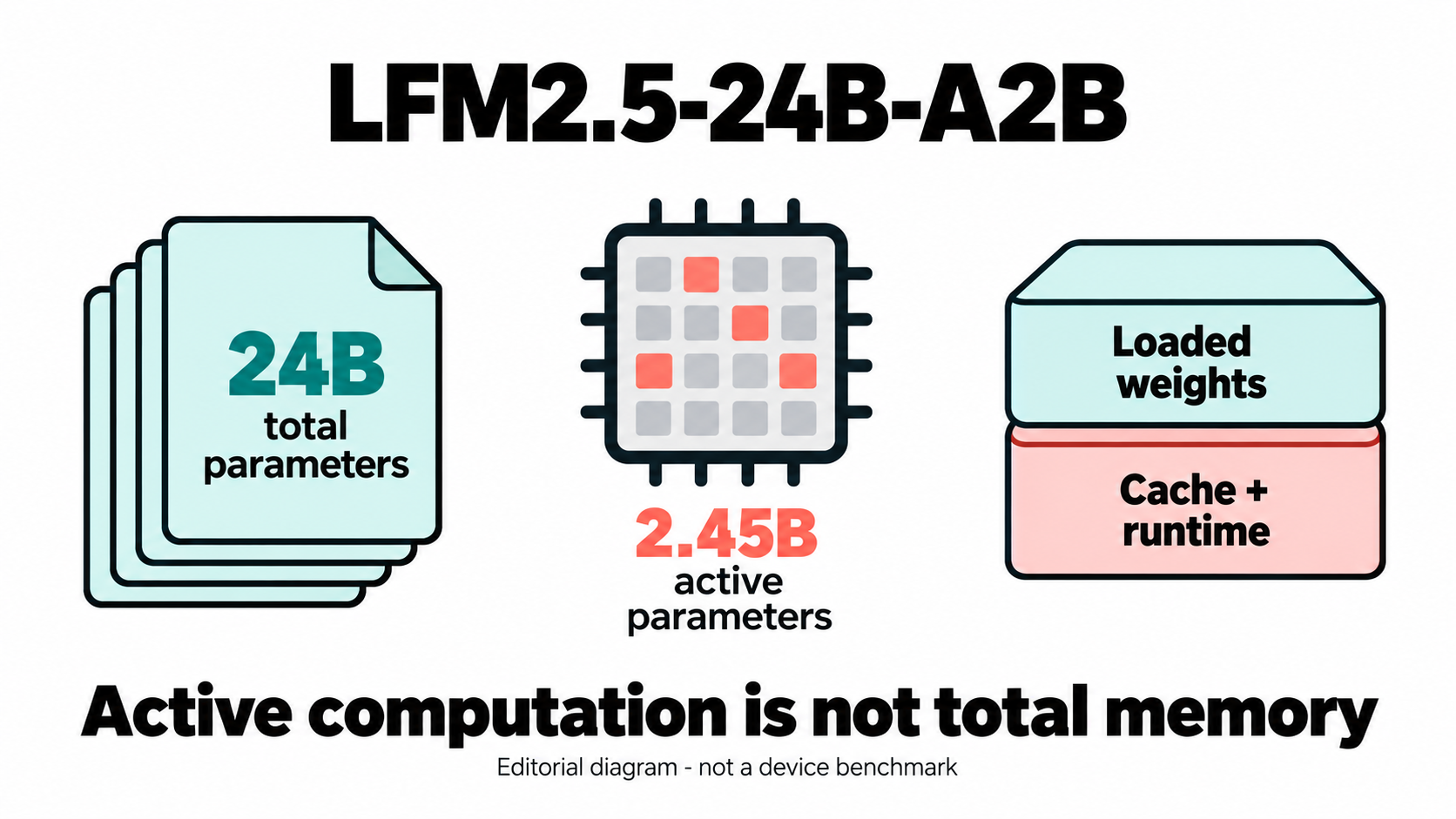
AI-generated editorial illustration, not model output or a hardware result.
What LFM2.5-24B-A2B's Active Count Does Not Tell You
Liquid AI's model card lists 24.0B total parameters and 2.45B active parameters. Use that detailed active count rather than treating the A2B suffix as an exact value. The checkpoint is text-only; the October 13 announcement describes the post-trained model as reasoning-only. These are documented specifications, not independent performance findings.
For MoE memory planning, keep three quantities separate: checkpoint storage, loaded weight memory, and temporary runtime memory. The active count describes participation in computation. It does not tell you how many bytes the deployment stores, where the remaining weights live, or how much room generation needs.
That does not mean every weight must always occupy one GPU. Accelerate's placement documentation describes distributing weights across devices and offloading to CPU or disk. Treat that as a placement option to verify for your chosen configuration, not free memory or guaranteed speed. A useful intake names each memory pool instead of adding them into one reassuring total.
Calculate a Weight Floor, Not a Deployment Budget
Begin with deliberately simplified arithmetic: assume exactly 24 billion parameters, all packed at one uniform bit width, with no extra data. The weights-only formula is bytes = parameters * bits / 8. Decimal GB divides bytes by 10^9; binary GiB divides by 2^30.
| Hypothetical uniform precision | Ideal packed weights only, GB | Ideal packed weights only, GiB |
|---|---|---|
| 16 bits | 48 | 44.70 |
| 8 bits | 24 | 22.35 |
| 4 bits | 12 | 11.18 |
Every row is an ideal lower-bound calculation under those assumptions. None is a measured memory requirement, an exact artifact size, or a minimum GPU recommendation.
Quantization overhead, higher-precision tensors, file metadata, cache, activation buffers and batching can raise demand. Loading may also create temporary copies. Keep these as unresolved budget items until the actual files and runtime are known; adding an arbitrary percentage would disguise the uncertainty.
The offline weight-floor calculator reproduces this arithmetic without downloading weights or inspecting hardware. Run it with Python 3:
Download the offline check kit for the helper, tests and input records. The kit uses only Python standard-library checks; it does not run the reviewed model or contact a provider.
python3 -B memory_floor.py --parameters 24000000000 --bits 16 8 4
Its output keeps the estimates separate from null device-fit and measured-memory fields. Copy the calculated floor into the intake's arithmetic section; reserve measurement fields for observed results.
Choose the Artifact and Runtime Before Counting Free Memory
An intake needs a repository and revision, not just a family name. The Base card distinguishes the pre-trained checkpoint from the post-trained model. A general local-agent plan should not silently substitute the base checkpoint or treat their behavior as interchangeable.
Then identify the export. The ONNX card describes companion weight files that must sit beside the selected graph. Counting the graph alone misses part of the artifact. The MLX-bf16 card describes an Apple Silicon export with bfloat16 weights and some float32 tensors. A sixteen-bit name does not mean every stored tensor uses sixteen bits.
Write down the exact required file set, precision, revision, runtime version and intended backend. Leave compatibility marked unverified until that combination is checked. A listed export does not confirm support in your installed runtime.
Account for disk separately from RAM. Keep a place for downloaded-file totals, any conversion workspace and retained source copies. If installation itself is unfamiliar, the existing small-model local setup guide covers that separate job.
Set Context From the Task, Not the Advertised Ceiling
The model card lists a 131,072-token context window. That is not an instruction to reserve the maximum on the first attempt. For local agent deployment, begin by describing the work: a bounded document question, a short code inspection, or a tool loop with capped results.
As an illustrative starting plan, allow a 4,096-token total context, including generated tokens, and one concurrent request. These are proposed test limits, not vendor defaults or proven safe settings. Allocate input and output within that ceiling; record whether the runtime's output cap includes reasoning tokens, rather than budgeting only the visible final answer.
Transformers' cache guidance explains that cache strategy affects memory and that long-context generation can make cache a substantial consumer. It does not establish this model's exact cache footprint in your runtime. Record cache policy and runtime state explicitly instead of borrowing a generic per-token memory estimate.
Increase one dimension at a time in a later authorized test: context, output allowance, or concurrency. Define a stopping condition beforehand, such as allocation failure, unexpected swap use, or a timeout. Changing all three together makes a failed request harder to diagnose.
Turn the Estimate Into a Deployment Intake
Use the blank deployment intake to preserve what is known and what still needs measurement. It starts at NOT_RUN; null means unknown, not zero. Enter the artifact identity, hardware inventory, placement plan and workload limits before treating the sheet as a run record. Record accelerator memory per device, and avoid counting shared unified memory twice.
For a later approved experiment, record an idle baseline, memory after loading, and peak memory during the bounded request. Include measurement-tool version, observed token counts, elapsed time and the stopping reason. Actual selected-artifact disk bytes belong in their own field. A completed request still needs a task-quality check; successfully allocating memory is not agent acceptance.
Keep tools read-only for the first task, and state whether network access is allowed. Local inference and a network-connected agent are different operating boundaries. Resource testing should not quietly become permission to edit files or contact services.
The calculator tests use only Python's standard library. Keep the calculator, tests and intake together; from their directory, run python3 -B -m unittest -v test_memory_floor.py. The offline calculator passed 22 local tests. Those tests validate arithmetic and input handling, not model loading. DataLLM Lab's methodology page provides the broader context for separating evidence from claims.
FAQ
Does the active count make this a 2B memory footprint?
No. The documented active count is 2.45B, while the total is 24.0B. Use the total for hypothetical full-weight arithmetic, then establish the actual storage and placement requirements separately. Active parameters are not a checkpoint-size shortcut.
Can a 12 GB GPU run a four-bit version?
The 12 GB row cannot answer that. It excludes quantization data, mixed tensors, cache and runtime overhead, and says nothing about usable free memory. Offloading or sharding may change placement. Neither the arithmetic nor this article certifies a device fit.
Does weight availability certify unrestricted open-source use?
No such certification is established here. The ONNX repository displays the license label lfm1.0. Read the exact current license for the selected artifact before deployment; this article offers no legal interpretation or assurance of unrestricted use.
Conclusion
Plan LFM2.5-24B-A2B around an exact artifact and bounded workload, with separate records for weights, storage, placement and runtime demand. Calculate the floor, but keep the intake at NOT_RUN until a genuine experiment supplies measurements. The next useful result is a documented configuration, not an inferred hardware promise.
Editorial disclosure: DataLLM Lab organizational editorial article, prepared with AI assistance. Primary documentation checked October 14, 2026. No weights were downloaded, no model/provider inference was run, and no personal hardware benchmark is claimed. The only executed tests cover the offline calculator and blank intake.