 DataLLM Lab
Vidu Q4 Preview Reference Video: Inputs, Shot Plans and Cost Checks
A Vidu Q4 Preview reference video needs a production brief before it needs a paid request. Decide which details must survive a camera cut, which source assets establish those details, and how much you can spend rejecting otherwise successful generations.
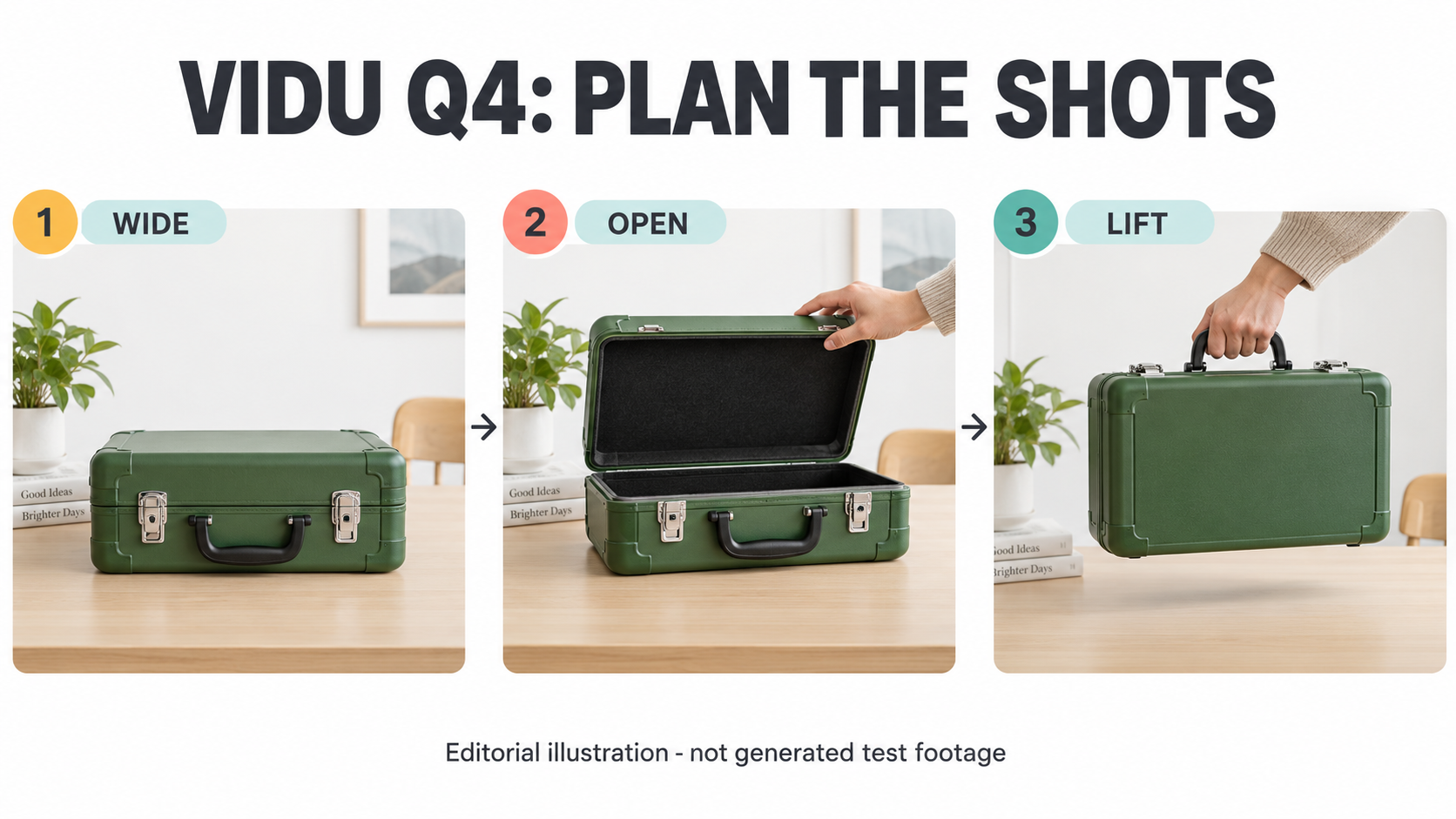
AI-generated editorial storyboard, not Vidu footage or evidence of cross-shot consistency. The proposed reference assets and video have not been produced.
Vidu's official update notice lists Q4 Preview on October 7, 2026. This guide reviews documentation checked on October 9, not generated footage. The shot plan, review thresholds and budget examples below are proposed and unrun.
Vidu Q4 Preview reference video: product promises versus API fields
The Q4 product page presents Image-to-Video and Reference-to-Video, including multi-shot storytelling. That does not establish which controls your account's creation screen exposes. No signed-in product interface was inspected for this guide.
For direct integration, the reference-video documentation names viduq4-preview and POST https://api.vidu.com/ent/v2/reference2video. Use that exact identifier, not a marketing label with guessed capitalization.
| Decision | Public product material | Direct API contract |
|---|---|---|
| Duration | Product FAQ gives reference mode a 1-16-second range. | duration is an integer from 3 to 16. |
| Resolution | Product page advertises 2K/4K. | resolution accepts 540p, 720p, 1080p, 2K, 4K. |
| Shot transitions | Multi-shot storytelling is described. | The inspected schema has no dedicated shot-list field. |
| Subject handling | Reference-based consistency is promoted. | The page explicitly excludes subject invocation for this preview. |
Treat the duration difference as unresolved documentation drift. For an API budget, use its documented range. In a product account, inspect the current mode, available duration, resolution and displayed charge separately. Neither a promotional page nor a selectable 4K value proves the dimensions or quality of a delivered file.
Prepare reference images that answer different questions
The API documents images as 1-15 references supplied through accessible URLs or Base64, in PNG, JPEG/JPG or WebP. Optional sounds allows 0-3 MP3 references, each 3-12 seconds. The POST body limit is 20 MB; audio defaults to true. These are documented limits, not an upload test. Input contract.
Start with a small, purposeful asset set rather than filling every slot. For a hypothetical unbranded travel-case scene, prepare four reference roles: a front view establishing the handle and latches, an angled view establishing depth, the room establishing table position, and an authorized presenter image establishing clothing. These are suggested roles, not files produced for this article.
Create an asset manifest before requesting generation. Record each asset's role, version, rights owner and visible invariants. For the case, those invariants might be a green body, one black handle and two silver latches. Remove contradictory views: a closed-case reference with a different hinge arrangement creates an ambiguity your prompt cannot reliably settle.
If audio is unnecessary, plan to disable it explicitly. If you need a voice reference, confirm permission to use that person's voice and decide what speech is allowed. Keep private assets off openly browsable URLs; arrange provider-accessible delivery with your security owner. Check actual encoded request size, not just the sum of source-file sizes.
Build an unrun shot-planning table
Plan transitions as editorial intent, not as unsupported API parameters. This proposed multi-shot video lasts twelve seconds and follows one case through one room. It has not been submitted to Vidu.
| Target interval | Framing and action | Reference role | Continuity requirement |
|---|---|---|---|
| 0-4 seconds | Wide view: presenter places the closed case on the table. | Room and front case views. | Case lands on the same side of the table used next. |
| 4-8 seconds | Medium angle: presenter releases both latches and opens the lid. | Angled case and presenter views. | Clothing, handle and hinge positions remain unchanged. |
| 8-12 seconds | Close view: presenter closes the case and lifts its handle. | Front and angled case views. | One handle and two latches remain; no extra case appears. |
Write a short natural-language brief around that sequence: identify the subject, specify each action in order, preserve the room layout, and exclude unintended objects or text. The intervals are timing targets, not a guarantee of frame-accurate cuts. Avoid asking for a new location, wardrobe and lighting style at every transition; that makes continuity harder to judge.
Keep the planning table outside the request unless you deliberately include it as prompt text. It is not a JSON schema accepted by the service. DataLLM Lab's structured video prompt guide explains the broader distinction between a useful writing format and an official API field.
Calculate API cost before choosing a delivery resolution
The public Vidu API price table lists RMB 0.03125 per credit. Its Q4 Preview rates include 19 credits per second at 720p, 24 at 1080p and 78 at 4K. Those are API reference rates, not verified consumer-subscription prices or a quote for your account.
For a hypothetical twelve-second request, the calculation is seconds * credits_per_second * RMB_per_credit:
| Requested resolution | Calculated credits per attempt | Calculated RMB per attempt |
|---|---|---|
| 720p | 228 | 7.125 |
| 1080p | 288 | 9.00 |
| 4K | 936 | 29.25 |
Three completed 720p attempts would therefore reserve 684 credits, or RMB 21.375, approximately RMB 21.38. This is arithmetic, not invoiced spend. Rejected creative outputs still belong in your attempt budget; do not assume that a reviewer disliking a clip makes its generation free.
Before payment, record the channel, currency, unit, chosen mode, duration, resolution and account quote. Check any promotion separately. Do not convert a launch headline or another provider's dollar rate into Vidu-native pricing. A lower-resolution rehearsal is a proposed cost-control step, not evidence that a later high-resolution request will reproduce it.
Use measurable continuity checks before accepting a clip
Freeze the acceptance rubric before any authorized generation. The following thresholds are editorial recommendations, not Vidu specifications or observed scores.
| Check | Proposed measurement | Acceptance threshold |
|---|---|---|
| Object identity | Inspect a frame every 0.5 seconds and around each cut. | Every visible view preserves the specified body, handle and latch count. |
| Spatial continuity | Compare table side, hinge direction and hand placement across cuts. | Zero unexplained reversals; deliberate camera changes are annotated. |
| Action order | Log placement, latch release, lid opening, closing and lifting. | All five occur in order; none is replaced by a different action. |
| Cut timing | Record actual transition timestamps. | Each intended cut falls within 0.5 seconds of its target. |
| Visual defects | Play the full clip, then inspect flagged sequences frame by frame. | Zero impossible handle/latch transformations or unintended duplicate cases. |
Sampling alone can miss a short defect, so retain both full playback notes and frame evidence. Mark an obscured feature as not assessable rather than calling it correct. A failed identity check should reject the clip even if its motion looks convincing.
Read the delivered file's dimensions, duration and audio tracks with a media inspector. Record requested versus delivered settings alongside the task identifier, asset versions, prompt and observed credit charge. Keep creative acceptance separate from task completion. No completed task, clip or continuity score was produced for this review.
FAQ
Can I request a one-second reference video through the direct API?
Not under the inspected contract. Its minimum is three seconds, despite the product FAQ's different range. Verify the documentation again before submitting a shorter request.
Does selecting 4K guarantee production-ready footage?
No. A supported request setting does not establish delivery dimensions, visual detail, continuity or suitability for your project. Inspect the actual file and apply your rubric.
Should I use all fifteen image slots?
Only when each reference adds necessary, consistent information. A smaller manifest with clear asset roles is easier to review than a collection of conflicting angles or styles.
Conclusion
Prepare a Vidu Q4 Preview reference video by freezing the assets, shot sequence, acceptance thresholds and spending ceiling together. Then verify the current request contract and account quote before authorizing generation. The useful deliverable at this stage is a reviewable production brief, not a claim that the planned clip already works.