 DataLLM Lab
Muse Wonder vs Muse Wonder Full: Access, Plans and Privacy
A Muse Wonder vs Muse Wonder Full comparison starts with where you will use the model and what data you may send. Meta documents Wonder for its Model API and Muse Code; Full is a separate variant offered through eligible Muse Code subscriptions. Buying a plan and choosing how Meta may use your code are separate decisions. Meta's model availability documentation
This comparison answers three questions: which channel exposes the variant, what the subscription pays for, and what to check before sending a private repository. It does not establish a quality winner for your workload.
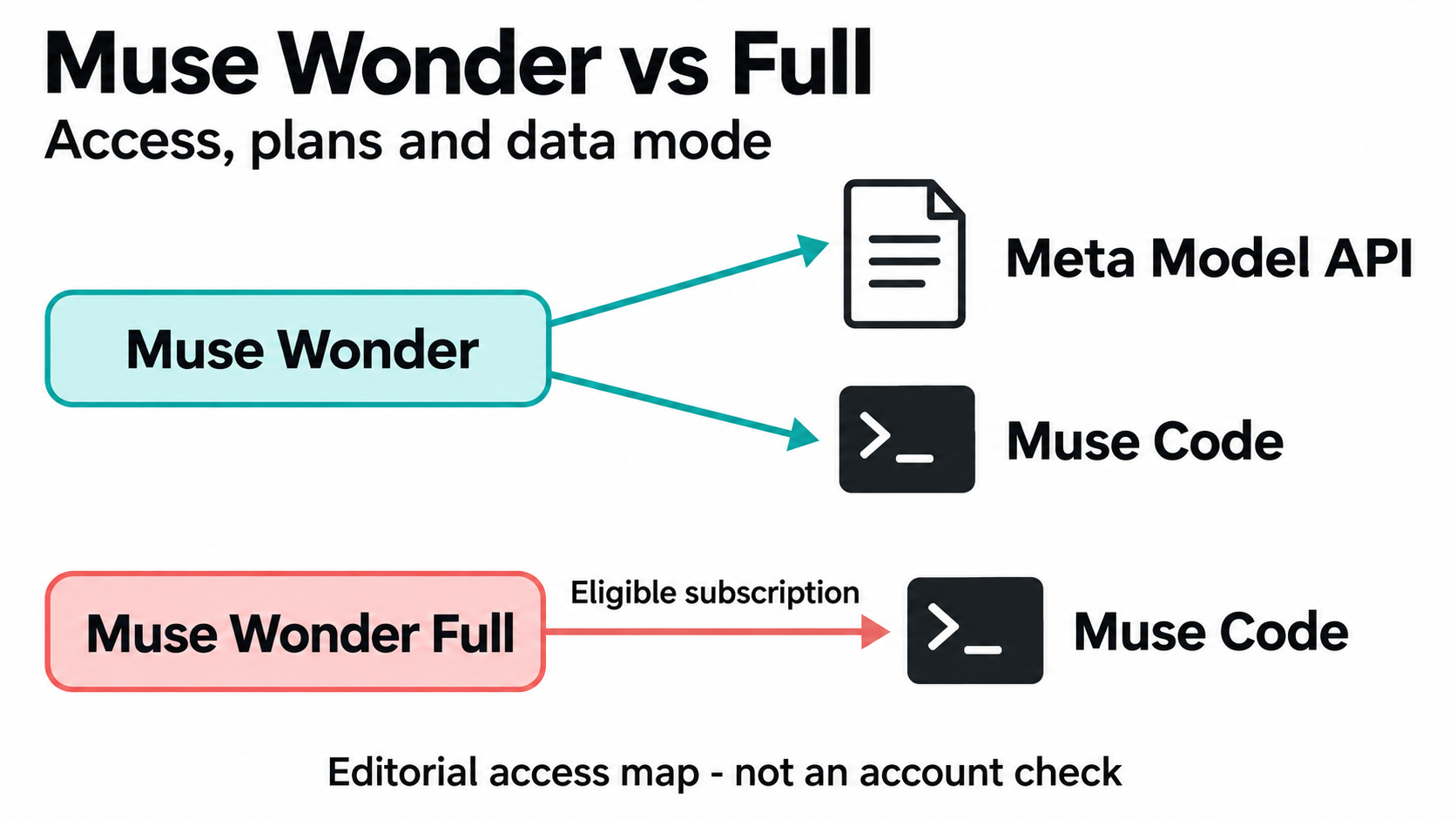
AI-generated editorial illustration, not a product screenshot or inference-run result.
DataLLM Lab | Source review: October 14, 2026 (Asia/Shanghai). No inference tests or account-entitlement checks were performed.
Muse Wonder vs Muse Wonder Full: the access matrix
Keep the model variant, billing channel and data-use mode distinct:
| Variant | Channel | Data-use mode | Billing or access basis |
|---|---|---|---|
Wonder (muse-wonder-1.0) |
Meta Model API | Standard only | Pay-as-you-go tokens |
| Full | Meta Model API | Not applicable | Not served through this API |
| Wonder | Muse Code, pay-as-you-go | Standard only | Token billing |
| Wonder | Muse Code subscription | Standard or Contributor | Included across plans |
| Full | Muse Code subscription | Standard or Contributor | Power Usage or Maximum Usage |
This is the documented access map as reviewed on October 14, not confirmation that a particular account can select either variant. Setting Wonder's reasoning effort to max does not select Full. Meta's model availability documentation
Consumer Muse is another channel. Meta's October 12 announcement described Wonder-powered consumer experiences as an upcoming rollout, initially for subscribers. That announcement does not establish current consumer-account access or Full entitlement. Meta's announcement
Muse Wonder Full pricing: what the subscription covers
The documented Muse Wonder Full subscription routes are Muse Code Power Usage and Maximum Usage. They are separate from standard Wonder's metered API billing. This guide does not provide a verified monthly checkout quote: the accessible subscription documentation establishes plan eligibility and allowance rules, while the account offer still needs its own pricing check. Official Muse Code plans
A subscription is not unlimited usage. Meta documents plan limits and notes that benefits and availability can vary by region. Its connected subscription credential works with Muse Code only; additional API keys are billed separately on pay-as-you-go terms. Check the offer shown to your account, its allowance and checkout amount before paying. Subscription documentation
For a terminal coding workflow, Muse Code supplies the agent interface. For an application with your own tool loop, the API is the more relevant route, but it does not expose Full. That is a workflow distinction, not evidence that either setup produces better code. Muse Code overview
For first-request setup and metered billing, see the Muse Wonder API access and cost guide.
Muse Wonder privacy: Standard and Contributor modes
Standard mode keeps submitted content out of Meta model training. Wonder's Model API access is Standard-only; do not apply another model's Contributor discount to it. Pricing and mode documentation
Muse Code subscriptions, however, start with Contributor mode on. In exchange for a larger usage allowance, Meta may use submitted prompts, source code, files, context and responses to train future models. Paying for Full does not itself switch that setting off. Muse Code subscription modes
Make that choice before the first submission. The subscription documentation describes opting out in terms of future content not being used for training. It does not establish that an earlier submission has been deleted. For confidential code, treat the documented permission to train on submitted material as a reason to stop and resolve the mode and repository owner's requirements first. Contributor setting and future content
No training is not a zero-retention guarantee. Meta's model overview describes whether content is used to train models; that statement alone does not establish deletion timing, an organization's retention controls or compliance with a client's requirements. Resolve those separately before submitting restricted material. Documented data-use modes
Before opening a private repository
Use this editorial preflight checklist before the first submission, not after the agent has read the project:
- Approve external processing. Get the repository owner's authorization and check client or employer restrictions. Stop if the material cannot leave the approved environment.
- Verify the session. Record the selected variant, plan, account and data-use mode. For confidential work, turn Contributor off before sending content and confirm the effective setting.
- Prepare a sanitized copy. Remove credentials, environment files, customer records, database dumps and revealing logs. Inspect fixtures and expected tool outputs too; a clean prompt does not make the whole repository clean.
- Limit tools and destinations. Review workspace trust, hooks and integrations. Restrict writes, shell commands and outbound connections to the task. An approved model does not authorize every action an agent proposes.
- Keep a non-secret record. Note the client version, settings check and approval date. Ask the security or privacy owner to resolve retention questions before proceeding with restricted material.
These checks reduce avoidable exposure; they do not certify the workflow. Review the installed client's actual controls rather than assuming defaults are sufficient. Muse Code permission documentation
The downloadable private-repository preflight gives each check an owner and a stop condition. It starts unchecked; completing the file is not a substitute for confirming the effective account settings.
Evaluate completed work under matched conditions
The following is an editorial evaluation procedure, not a test DataLLM Lab has run. It is intended to answer whether either variant meets your acceptance criteria with tolerable intervention and cost.
- Fix the task and starting state. Use the same sanitized repository snapshot, prompt and failing test. An illustrative task is repairing a parser while preserving its public interface. Specify edge cases and the allowed diff before either run.
- Match the environment. Where both variants are available, use the same Muse Code build, tools and permissions. Record the selected variant and reasoning settings where supported. If one run uses a custom API harness, disclose that difference; do not call the result an isolated model comparison.
- Stage permissions. Begin with read-only inspection and a proposed plan. Then authorize edits and local tests in an isolated copy. Set a deadline, intervention cap and spend or usage ceiling before execution; stop at a boundary breach or exhausted allowance.
- Judge the artifact. Require the predefined tests to pass and inspect unrelated changes. Count manual corrections and approval interventions separately. Record elapsed time, displayed allowance consumption and any separately billed calls. Keep monthly subscription cost separate from incremental run charges.
A longer answer is not acceptance evidence. Start with the access route your workflow needs, then consider a Full evaluation only if its eligibility and data-use settings fit. Upgrade decisions should follow accepted work, not the variant's name.
Use the blank upgrade evaluation record to keep the starting snapshot, acceptance tests, permissions, interventions and charges together. Its status is NOT_RUN, with unknown results left as null; it contains no model output or default passing score.
FAQ
Can I call Muse Wonder Full through Meta Model API?
Not under the documentation reviewed on October 14, 2026. The API exposes muse-wonder-1.0, and its max reasoning setting remains Wonder, not Full. Model documentation
Can I turn Muse Wonder Contributor mode off?
Yes, in Muse Code's settings. The subscription documentation says future content is not used for training after opting out, unless you turn the mode back on. Verify the effective setting before sending private code; do not interpret it as proof of deleting earlier submissions. Contributor-mode documentation
Is Full free or unlimited with a subscription?
The reviewed sources document paid Power Usage and Maximum Usage access with limits. No free-trial entitlement was verified. Check current offer terms rather than assuming free or unlimited access. Plan documentation
Conclusion
For Muse Wonder vs Muse Wonder Full, settle the access channel and data-use mode first. Use documented Wonder API access when building an integration; consider the eligible Muse Code plans when evaluating Full. Before submitting private code, verify the effective privacy setting and obtain project approval. Then judge a bounded task by its accepted diff, required interventions and recorded costs.